Three AI updates that can give your business time back
A follow-up still sitting in drafts. A vendor call you keep putting off. An onboarding question you’ve answered six times this month. If any of that sounds familiar, here are three AI updates you can put to work this week.
1. Match the AI model to the job
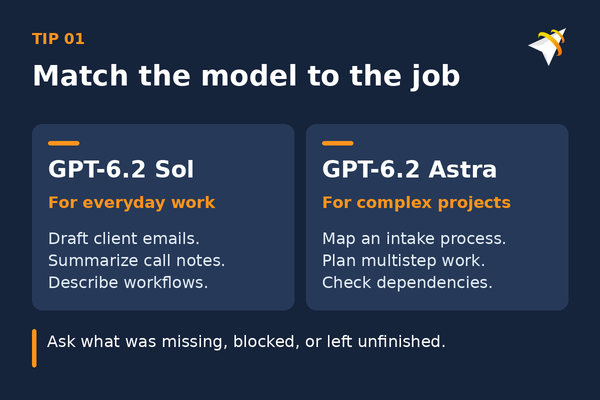
Use GPT-6.2 Solo to draft a follow-up after a discovery call, summarize call notes, or turn a rough process into a checklist. Reach for GPT-6.2 Astro when the job has more moving parts, like mapping what happens from the first inquiry to a booked appointment and deciding who owns each handoff.
A polished answer can still leave out a missing file or an unfinished step. Ask the model to flag what it couldn’t verify before you use its work.
Try this prompt on a real follow-up you owe today.
Turn these notes into a short client follow-up. Include the next step, who owns it, and the due date if we agreed on one. After the draft, list anything you assumed, couldn’t verify, or still need from me.
2. Give the hold music to Gemini
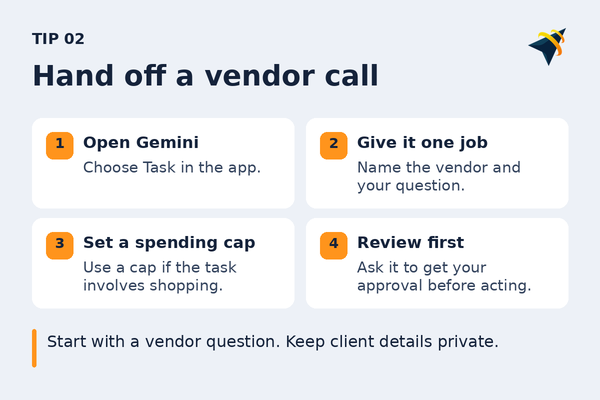
Need to know whether a supplier can deliver by Friday? Give Gemini one clear question. If business calling is available on your account, it can make the call, sit through the hold music, and report back.
Google is rolling out free Gemini Tasks in the U.S., Japan, South Korea, Canada, Australia, and India. Advanced features such as business calls are rolling out starting in the U.S. Look for the Task toggle in Gemini.
Try this prompt with a vendor.
Call the supplier and ask whether they can deliver by Friday, what delivery costs, and when I need to order. Gather those details and report back before placing an order or changing anything.
For a billing question, start with a redacted statement and ask Gemini to flag what changed. Keep client details and payment information out of the task. Google says temporary chats are retained for around two months.
3. Turn a repeat explanation into a 45-second video
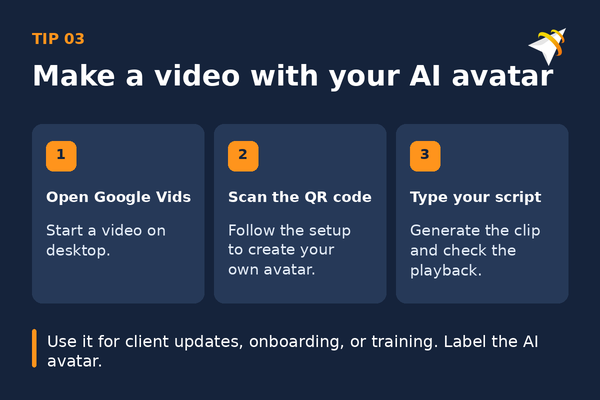
What question do new clients ask every week? Start there. A short video can show them where to upload their files, how to book their kickoff call, or what to expect before their first appointment.
Google Vids now offers personal avatars at no cost for personal Google accounts. Open Google Vids on desktop, scan the setup QR code, and type your script. Pair the avatar with a screen recording so clients can see exactly where to click.
Keep the video simple.
Tell the client what they’ll be able to do by the end.
Show the two or three clicks they need.
Give them one clear next step.
Add an AI avatar label, then watch the finished clip to make sure the instructions match what’s on screen.
Start with the task you already do most often
If your team keeps rewriting the same follow-up, try the prompt from tip one. Time it once, including your review. If it saves time and sounds like something you’d actually send, save it as a team template.


